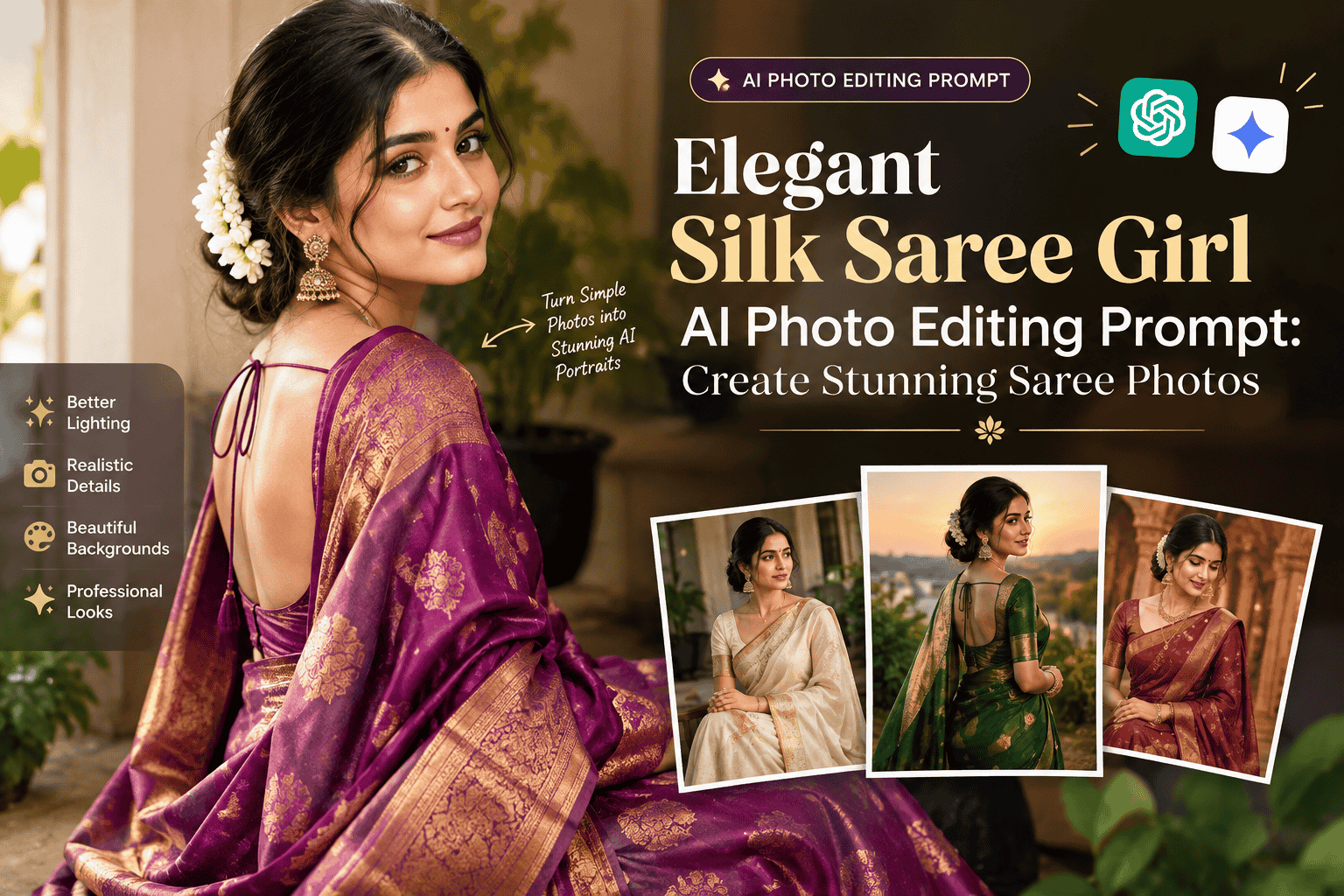
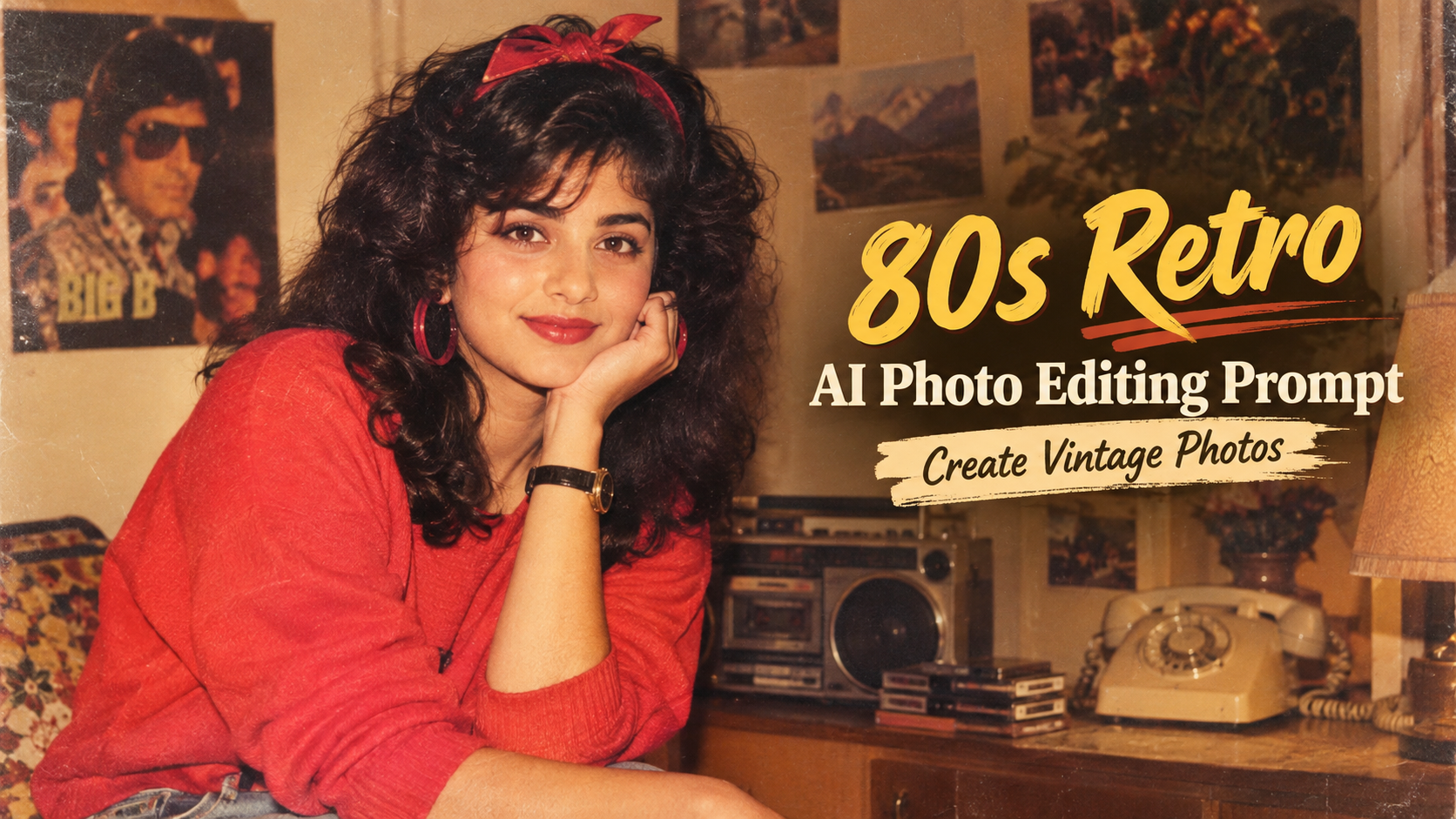
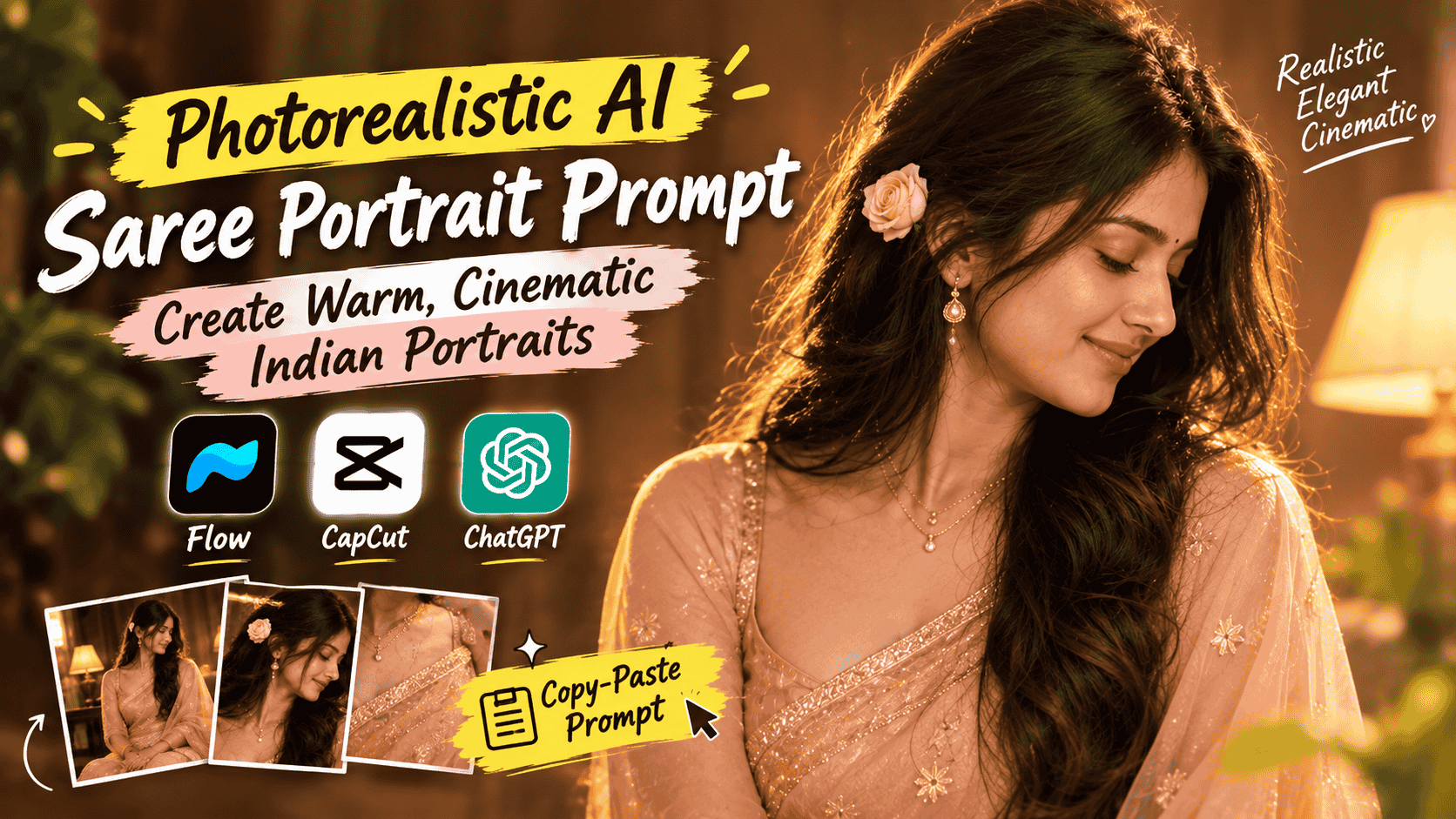
Featured image for: Elegant Silk Saree Girl AI Photo Editing Prompt: Create Stunning Saree Photos
AI image generation and photo editing have completely changed the way people create stylish and professional-looking photographs. Today, you can transform a simple portrait into an elegant traditional saree photograph by using the right AI prompt.
If you are looking for an elegant silk saree girl AI photo editing prompt, this guide provides a ready-to-use prompt that can help you create a realistic, beautiful and premium-looking saree image.
Whether you want to create an Instagram post, profile picture, fashion portrait, wedding-style photograph or a traditional Indian look, a well-written AI prompt can make a significant difference in the final result.
In this blog, you will find a detailed AI saree photo editing prompt, tips for getting realistic results, recommended prompt elements, negative prompts and several variations that you can customize according to your preferred saree color, background and photography style.
What Is an AI Saree Photo Editing Prompt?
An AI saree photo editing prompt is a text instruction that tells an AI image generation or editing tool how you want your photograph to look.
Instead of manually changing the clothing, background, lighting, colors and overall appearance, AI can interpret your instructions and generate or edit an image according to the description.
Setting / Feature
Recommendation / Style
For example, you can tell an AI tool to create:
An elegant silk saree
Complete Step-by-Step Editing Workflow
Copy the prompt: Use the dedicated copy button above to get the prompt.
Open your editing tool: Use your preferred AI image generator (ChatGPT, Google Gemini, Midjourney, or Bing).
Personalize the variables: Adjust background, clothing, lighting, pose, or mood according to your requirements.
Generate & refine: Generate the image and tweak small details if needed.
Export: Save the final high-quality output for your social media.
Curates practical AI prompts, photo-editing resources, video-editing ideas, and creator-focused tutorials to help readers create top-quality digital content.
The more specific and structured your prompt is, the easier it becomes for the AI tool to understand the desired visual style.
Best Elegant Silk Saree Girl AI Photo Editing Prompt
Use the following prompt with an AI image generator or AI photo editing tool.
Copy-Paste AI Prompt
Create a highly realistic and elegant portrait of a beautiful young Indian woman wearing a luxurious silk saree. Keep her facial identity, facial structure and natural features realistic and consistent with the reference photo. Dress her in a premium traditional silk saree with intricate woven patterns, a sophisticated blouse and elegant traditional jewelry. Add delicate earrings, a necklace, bangles and a small traditional bindi. Style her hair naturally in a neat and graceful Indian hairstyle. Use soft cinematic lighting with a warm premium glow, realistic skin texture, natural facial details and subtle makeup. Place her in an elegant luxury Indian-inspired setting with a softly blurred background, warm ambient lighting and sophisticated colors. Capture the image like a professional fashion photographer using a high-end DSLR camera, realistic depth of field, sharp facial details, natural proportions, realistic fabric texture and premium editorial photography. The final image should look photorealistic, graceful, sophisticated, feminine and luxurious, with natural colors and realistic lighting.
Short AI Prompt for Quick Results
If you want a shorter prompt, you can use this version:
Create a photorealistic portrait of an elegant Indian woman wearing a luxurious silk saree with traditional jewelry and a graceful hairstyle. Preserve natural facial features and realistic skin texture. Use warm cinematic lighting, a premium Indian-inspired background, soft depth of field, realistic saree fabric, professional fashion photography and high-end DSLR quality. Make the final image elegant, sophisticated, natural and photorealistic.
AI Prompt for Red Silk Saree
Want a bold and traditional red saree look? Try this prompt:
Transform the woman into an elegant Indian fashion portrait wearing a luxurious deep red silk saree with intricate golden borders and a matching designer blouse. Add traditional gold jewelry, elegant earrings, bangles and a subtle bindi. Preserve her natural facial identity and realistic skin texture. Use warm golden cinematic lighting, a sophisticated traditional Indian interior, soft background blur and professional fashion photography. Create realistic fabric details, natural proportions, sharp facial features and a premium photorealistic finish.
AI Prompt for Black Silk Saree
For a modern and sophisticated look:
Create a sophisticated photorealistic portrait of an Indian woman wearing a luxurious black silk saree with an elegant designer blouse and minimal traditional jewelry. Preserve her natural facial identity, facial proportions and skin texture. Use dramatic but soft studio lighting, a dark premium background, subtle cinematic highlights and realistic shadows. Capture the image as high-end fashion editorial photography with detailed silk fabric, natural skin, realistic eyes and professional DSLR quality.
AI Prompt for Royal Blue Silk Saree
For a premium royal appearance:
Create a luxurious photorealistic portrait of an Indian woman wearing a royal blue silk saree with intricate golden detailing and an elegant matching blouse. Add sophisticated traditional jewelry, earrings, bangles and a subtle bindi. Keep the face natural and realistic. Use warm cinematic lighting, a luxurious Indian palace-inspired background, soft depth of field, realistic silk texture and high-end fashion photography. The final image should look elegant, royal, sophisticated and completely photorealistic.
AI Prompt for Instagram Saree Photo
If your goal is to create a stylish social media photograph:
Create a stunning Instagram-style portrait of an elegant Indian woman wearing a premium silk saree. Keep her face natural and realistic while enhancing the overall fashion appearance. Add subtle makeup, elegant jewelry and a graceful hairstyle. Use soft natural lighting, a beautiful blurred background, realistic skin texture, detailed saree fabric and professional portrait photography. Create a sophisticated, trendy and photorealistic image suitable for Instagram.
How to Get Better Results From an AI Saree Prompt
Simply entering "girl in saree" may produce a basic result. To achieve a premium image, your prompt should describe several important elements.
Setting / Feature
Recommendation / Style
Prompt Element
What to Specify
Clothing
Silk saree, designer blouse, traditional patterns
Color
Red, black, blue, green, pink, golden etc.
Jewelry
Earrings, necklace, bangles, traditional jewelry
Hair
Open hair, bun, braid or traditional hairstyle
Makeup
Natural, soft, bridal or glamorous
Lighting
Cinematic, studio, natural or golden-hour
Background
Palace, home, studio, garden or wedding venue
Camera
DSLR, portrait photography, editorial photography
Quality
Photorealistic, high detail, realistic texture
Composition
Close-up, waist-up, full body or portrait
Adding these details gives the AI more visual information to work with.
Best Saree Colors for AI Photos
The saree color can completely change the mood of an AI-generated photograph.
1. Red Silk Saree
Red creates a traditional, festive and powerful appearance. It works particularly well for wedding-inspired and Indian cultural portraits.
2. Royal Blue Silk Saree
Royal blue gives the photograph a sophisticated and luxurious appearance. It is suitable for fashion portraits and Instagram images.
3. Black Silk Saree
Black creates a modern and dramatic appearance. Combine it with minimal jewelry and cinematic lighting for a premium fashion look.
4. Emerald Green Silk Saree
Green can create a rich traditional appearance, particularly when paired with gold jewelry and warm lighting.
5. Pink Silk Saree
Pink works well for soft, feminine and elegant portraits. Pastel pink can create a modern aesthetic, while darker pink can provide a more festive appearance.
6. Golden Silk Saree
Golden silk sarees can produce a luxurious and celebratory appearance. Warm lighting can further enhance the golden fabric.
Best Background Ideas for Saree AI Photos
The background is just as important as the saree itself.
Setting / Feature
Recommendation / Style
You can experiment with:
Luxury Indian palace
Traditional Indian room
Wedding venue
Elegant studio
Flower garden
Festive background
Luxury hotel
Temple-inspired architecture
Modern indoor setting
Soft outdoor background
Traditional balcony
Golden sunset environment
For a professional fashion photograph, a softly blurred background usually works better than an overly detailed background because it keeps attention on the subject.
Add Professional Photography Details to Your Prompt
If you want your AI-generated image to look more like a professional photograph, include photography-related instructions.
Setting / Feature
Recommendation / Style
Useful phrases include:
Professional fashion photography
High-end DSLR photography
Editorial portrait
Cinematic lighting
Soft natural light
Shallow depth of field
Realistic skin texture
Detailed fabric texture
Natural shadows
High dynamic range
Photorealistic details
Professional color grading
Sharp facial details
Realistic proportions
For example, instead of simply writing:
"Woman wearing a silk saree."
you can write:
"Create a photorealistic editorial fashion portrait of an Indian woman wearing a luxurious silk saree, captured with professional DSLR photography, soft cinematic lighting, realistic skin texture, detailed silk fabric and shallow depth of field."
The second prompt provides considerably more visual direction.
Negative Prompt for Realistic AI Saree Images
Some AI tools support negative prompts. These can help reduce common image-generation problems.
Not every AI platform supports negative prompts in the same way, so use this section only if your chosen tool provides a dedicated negative-prompt field.
How to Customize the Prompt
One of the biggest advantages of AI prompts is that you do not have to use the same look every time.
You can modify individual elements.
Change the Saree
Setting / Feature
Recommendation / Style
Replace:
"luxurious silk saree"
with:
Banarasi silk saree
Kanjeevaram silk saree
Designer silk saree
Traditional Indian saree
Embroidered saree
Organza saree
Chiffon saree
Change the Hairstyle
Setting / Feature
Recommendation / Style
You can specify:
Long open hair
Traditional bun
Braided hairstyle
Low bun
Soft waves
Floral hairstyle
Change the Photography Style
Setting / Feature
Recommendation / Style
Try:
Fashion editorial
Wedding photography
Cinematic portrait
Studio photography
Luxury fashion photography
Outdoor portrait photography
Traditional Indian photography
This makes it easy to generate multiple variations from the same base prompt.
AI Saree Photo Prompt Formula
If you want to create your own prompts instead of copying an existing one, follow this simple formula:
Indian woman + royal blue silk saree + gold jewelry + natural makeup + palace background + warm cinematic lighting + professional DSLR portrait + photorealistic quality
You can then expand each element to create a more detailed prompt.
Example of a Fully Customized Prompt
Create a photorealistic full-length portrait of an elegant Indian woman wearing a royal emerald-green silk saree with intricate golden embroidery and a premium designer blouse. Add traditional gold earrings, a delicate necklace, bangles and a small bindi. Keep her facial identity natural and realistic, with realistic skin texture and subtle makeup. Style her hair in an elegant traditional low bun decorated with small flowers. Place her inside a luxurious Indian palace-inspired interior with warm golden ambient lighting and softly blurred architectural details. Capture the image using professional editorial fashion photography, realistic depth of field, natural shadows, detailed silk fabric texture, accurate body proportions and sharp facial details. Create a sophisticated, graceful, premium and photorealistic final image.
Tips for Editing Your Own Photo With AI
If you are using an existing photograph as a reference, the instructions should focus on preserving the person's identity while changing the styling.
Setting / Feature
Recommendation / Style
You can include phrases such as:
Preserve the original facial identity
Keep facial proportions unchanged
Maintain natural skin texture
Preserve realistic eyes and facial structure
Keep the pose natural
Change only the clothing and environment
Maintain realistic body proportions
Avoid excessive face modification
This is particularly useful when you want to transform an existing portrait into a saree photograph instead of generating a completely new person.
Common AI Saree Photo Problems
AI-generated images can sometimes contain visual errors. Common problems include:
Distorted Hands
Hands and fingers can sometimes appear unnatural. Adding "realistic hands, anatomically correct fingers and natural hand positioning" may help.
Unrealistic Jewelry
AI may duplicate earrings, necklaces or bangles. Add "accurate jewelry placement, symmetrical earrings and realistic jewelry details."
Plastic-Looking Skin
If the face looks artificial, include "natural skin pores, realistic skin texture and subtle natural imperfections."
Incorrect Saree Draping
Sarees have complex folds and draping patterns. Adding "realistic traditional saree draping, natural pleats and detailed fabric folds" can improve the result.
Overly Artificial Lighting
If the image looks too generated, request soft natural lighting, realistic shadows and natural color grading.
Why Detailed AI Prompts Matter
A good AI prompt works almost like a creative brief for an image generator.
Instead of giving the AI one general instruction, you provide information about:
Setting / Feature
Recommendation / Style
Who should appear in the image
What they should wear
How they should look
What environment they should be in
How the scene should be illuminated
What photography style should be used
How realistic the final result should be
This gives the AI a much clearer understanding of the intended result.
Best Prompt Settings for Different Types of Photos
Photo Type
Recommended Style
Instagram
Fashion portrait
Wedding
Traditional wedding photography
Profile Picture
Close-up portrait
Fashion
Editorial photography
Festival
Warm cinematic photography
Traditional
Indian cultural portrait
Luxury
High-end fashion photography
Casual
Natural outdoor photography
Frequently Asked Questions
Can I use this silk saree AI prompt for my own photo?
Yes. If your AI editing tool supports reference-image editing, you can upload your photograph and use the prompt to describe the desired saree, styling, background and lighting.
Can I change the saree color?
Yes. Replace the desired color in the prompt with red, blue, green, pink, black, purple, golden or another color.
How can I make the AI saree image look realistic?
Use terms such as photorealistic, natural skin texture, realistic fabric, professional photography, natural lighting, realistic proportions and detailed facial features.
Can I create a wedding-style saree photo?
Yes. Add wedding jewelry, traditional makeup, floral decorations, warm lighting and a wedding venue to the prompt.
Can I use this prompt for Instagram photos?
Yes. The prompt can be customized for Instagram portraits, fashion posts, profile pictures and other social-media content.
Why does AI sometimes change the face?
Image-generation models may reinterpret facial features when transforming an image. If your tool supports image editing, specifically instruct it to preserve the original facial identity and facial structure.
Can I create different saree styles with the same prompt?
Yes. You can change the saree type, color, jewelry, hairstyle, background and photography style while keeping the main prompt structure.
Conclusion
Creating an elegant silk saree photograph no longer requires professional photography equipment or an elaborate photoshoot. With a carefully written AI saree photo editing prompt, you can experiment with different saree colors, backgrounds, hairstyles, jewelry and photography styles.
The key is to provide enough visual information while keeping the instructions clear. For realistic results, focus on natural facial features, realistic skin texture, accurate saree fabric, professional lighting, realistic proportions and detailed photography instructions.
You can start with the main Elegant Silk Saree Girl AI Photo Editing Prompt provided in this guide and customize it according to your preferred style.
Whether you want a traditional Indian portrait, luxury fashion photograph, wedding-style image or Instagram-ready picture, AI prompts give you the flexibility to create a wide variety of visual styles with just a few instructions.
Try the prompt, experiment with different saree colors and backgrounds, and create your own elegant AI saree photograph.
Miniature Rainy Window AI Prompt: Create a Cinematic Tiny Girl Scene